Product
Everything a modeling tool should have, built around Snowflake.
Grain covers the whole life of a warehouse model: scoping, conceptual and logical design, physical properties, deployment, governance and documentation. This page lists what is in the current release.
Modeling
Conceptual, logical and physical, on one canvas.
A subject area is a named group of entities shown on one diagram. Switch between its three views without losing your selection, and move up to the context diagram for the whole warehouse.
- Business and physical names for every entity and attribute, shown separately or together.
- Relationships by dragging one attribute onto another. The dialog opens already filled in. Shift-drag copies attributes instead.
- Optional, one-or-more, identifying and role-named relationships ("bill to"), with the foreign key column created for you.
- Many-to-many resolved into an associative entity in one click.
- Subtypes: exclusive or complete, with a discriminator, kept as separate tables or rolled up or down.
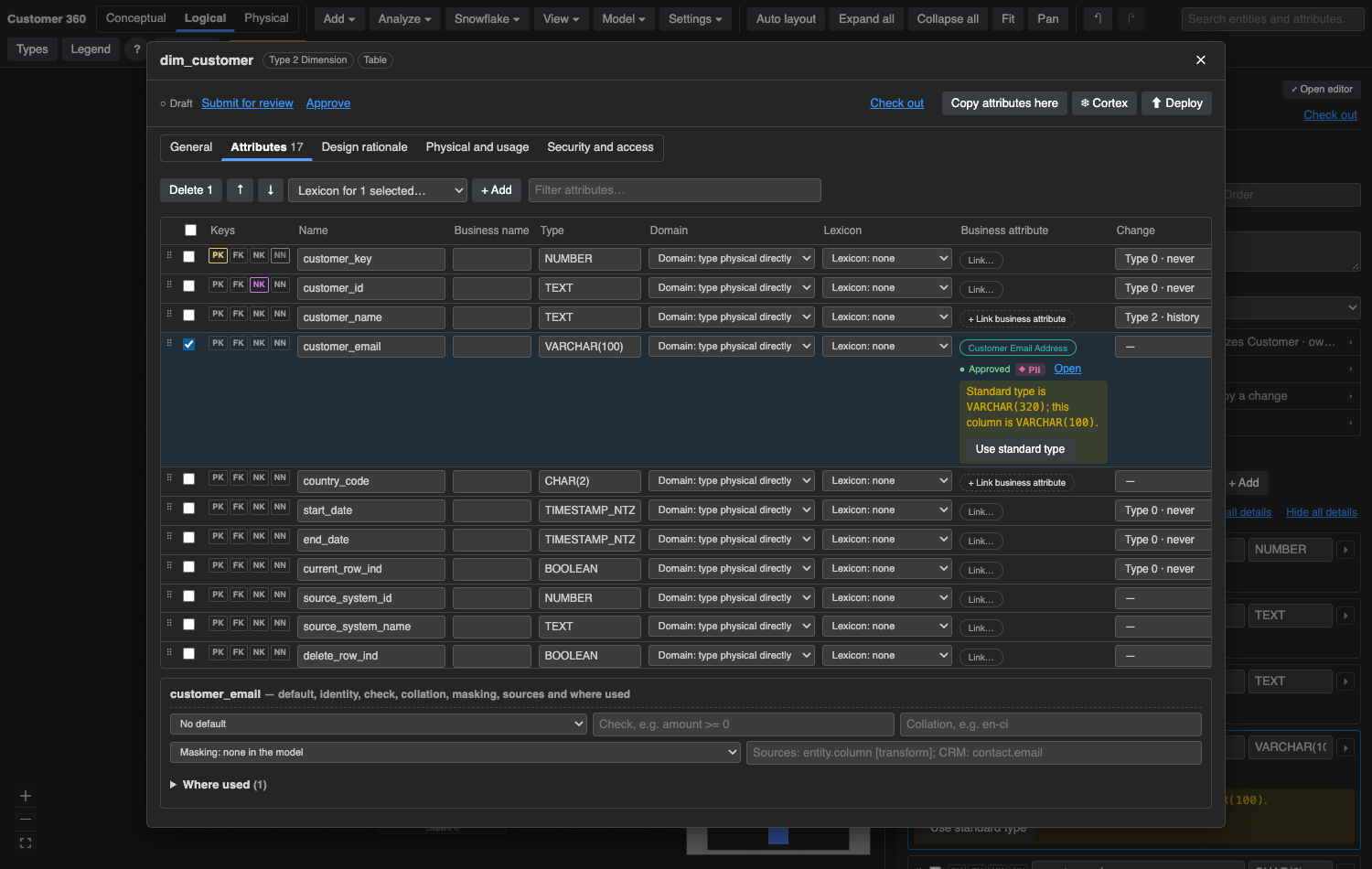
- Alternate keys, defaults, identity, computed columns, checks and collation per column.
- Four notations: crow's foot, Information Engineering, IDEF1X and Chen.
- The entity editor: five tabs covering general details, the attribute grid, design rationale, physical properties and security.
- Every edit is one undoable step, including edits Cortex proposes and you accept.
- Scales to large models. Tested at 200 entities and 5,000 attributes.
Patterns and standards
Templates that know what a Type 2 dimension needs.
Choose a design pattern and Grain adds the columns it requires, without ever adding a second primary key. Change the standard columns once in Settings and every new entity follows.
Conformed, Dimension, SCD Type 2
Type 2 adds start and end dates and a current-row flag. Every dimensional template ends with the standard housekeeping columns.
Transaction, Periodic and Accumulating Snapshot
Measures carry additivity, so the model says which ones can be summed across which dimensions.
Cross-reference and Reference
Mapping tables and code lists, with their keys set up correctly.
Hub, Link and Satellite
Ending in load-audit columns. Generate Data Vault turns existing entities into hubs, links and satellites.
Naming standard
Your abbreviations turn business names into physical names. Apply the standard across a subject area in one step.
Lexicons
Named standard types such as Amount = Decimal(18,2). Edit a lexicon and every attribute that uses it changes too.
Multiple source systems
Tick one box and an entity gets your multi-source column set, for example source system code, record id and extract time.
Layers
One logical model, stored as many layers as you need.
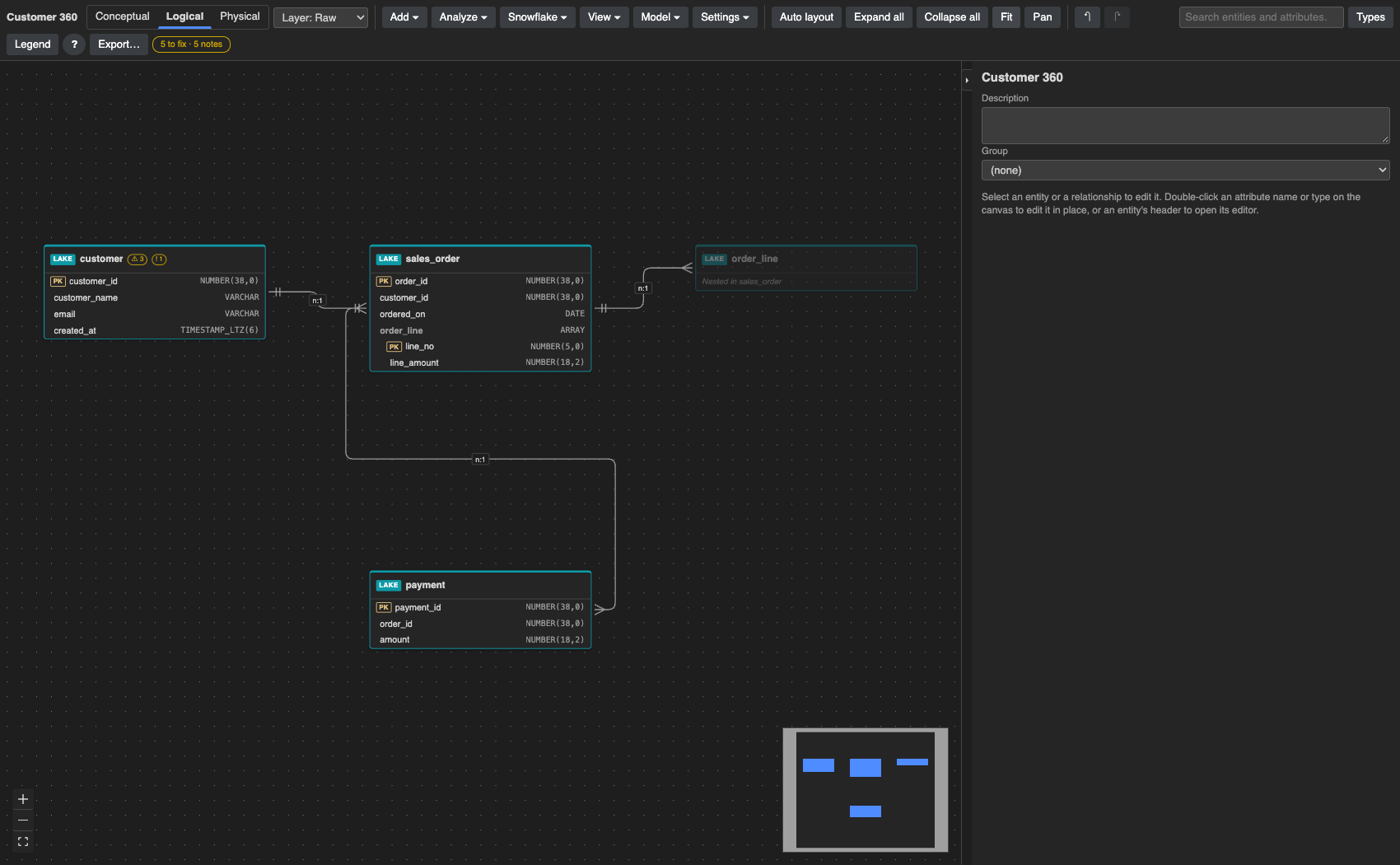
Most tools make you pick between designing tables and designing documents. Grain keeps one logical model and stores it in each layer you define, such as Raw, Core and Mart.
- Relational: the normalized tables as you draw them.
- Lake: Snowflake-managed Iceberg tables or VARIANT landing tables. A child identified by its parent is nested inside it as
ARRAY(OBJECT(…)). - One big table: a wide table per anchor entity, with parents joined in. Anything that multiplies rows needs an explicit choice: aggregate, array or exclude.
- Per-layer choices: leave columns out, rename them, or name the table differently. Renames in the model carry into those choices.
- Load SQL included: Generate DDL and Deploy add the SQL that fills each layer from the one before, with
LATERAL FLATTENout of the lake and dynamic tables for one big tables by default. - JSON Schemas for a lake layer, exported in one step.
Snowflake
Read it, compare it, deploy it, trace it.
Grain runs inside your account, and reading or changing your databases runs as the signed-in user, with their role, only on the databases your administrator allows. Every Snowflake action happens only when you ask, and each one tells you what it is about to do.
- Read Snowflake (read-only): databases, schemas, tables, columns, keys, defaults, identity, unique keys, view queries, comments and clustering.
- Create missing entities from tables that have none yet. Grain works out the pattern from prefixes like
dim_andfact_, or from the columns. - Suggest subject areas: Cortex groups whole schemas into business areas, each table with a reason. Tables shared across areas go into Conformed.
- Compare: differences per column, including type equivalence and NULL versus NOT NULL. Choose a side for each one.
- Import DDL from Snowflake or another database, with types mapped to Snowflake's.
- Generate DDL without deploying anything, for Snowflake, PostgreSQL, SQL Server, Oracle, MySQL, BigQuery or Databricks.
- Deploy in dependency order. Only safe type changes are allowed, each destructive statement is acknowledged on its own, and the run stops at the first failure.
- Snowflake objects: databases, schemas with future grants, sequences, file formats, stages and streams, scripted before the tables that need them.
- Security in the model: masking policies per column or for every PII column, row access policies, grants and owning role.
- Lineage from
SNOWFLAKE.CORE.GET_LINEAGE: flows drawn on the diagram, downstream impact listed before you drop or retype a column. Requires Snowflake Enterprise Edition.
Cortex
An assistant that proposes. Nothing is saved until you approve it.
Grain uses Snowflake Cortex in your own account. It sends the entity's design, its relationships, your lexicons and your house standards. It never sends rows from your tables.
- Complete the design: missing attributes, types, NOT NULL and a grain, each ticked with a reason.
- Review the design: findings marked Issue, Warning or Suggestion. A review changes nothing.
- Draft descriptions for the data dictionary.
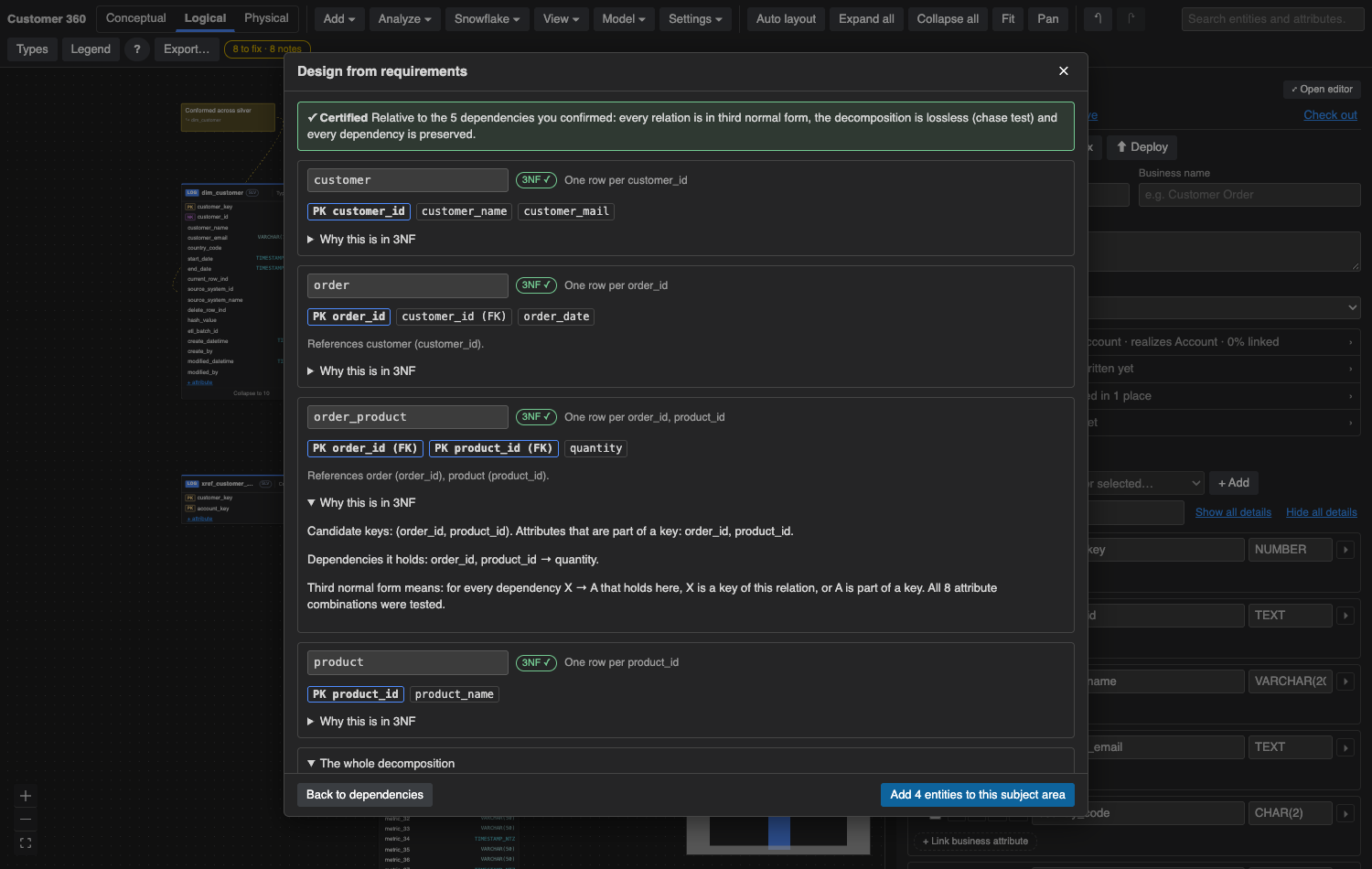
- Design from requirements: plain language in, a checked third-normal-form design out.
- Cortex context and an organization profile (industry, business areas, regulations) go in front of every request, so answers fit your business.
- Your model choice: pick the Cortex
COMPLETEmodel in settings.
Governance
Business meaning, attached to the columns that carry it.
- Context diagram: subject areas, source systems, consumers and actors, joined by labeled arrows such as "CRM feeds Sales".
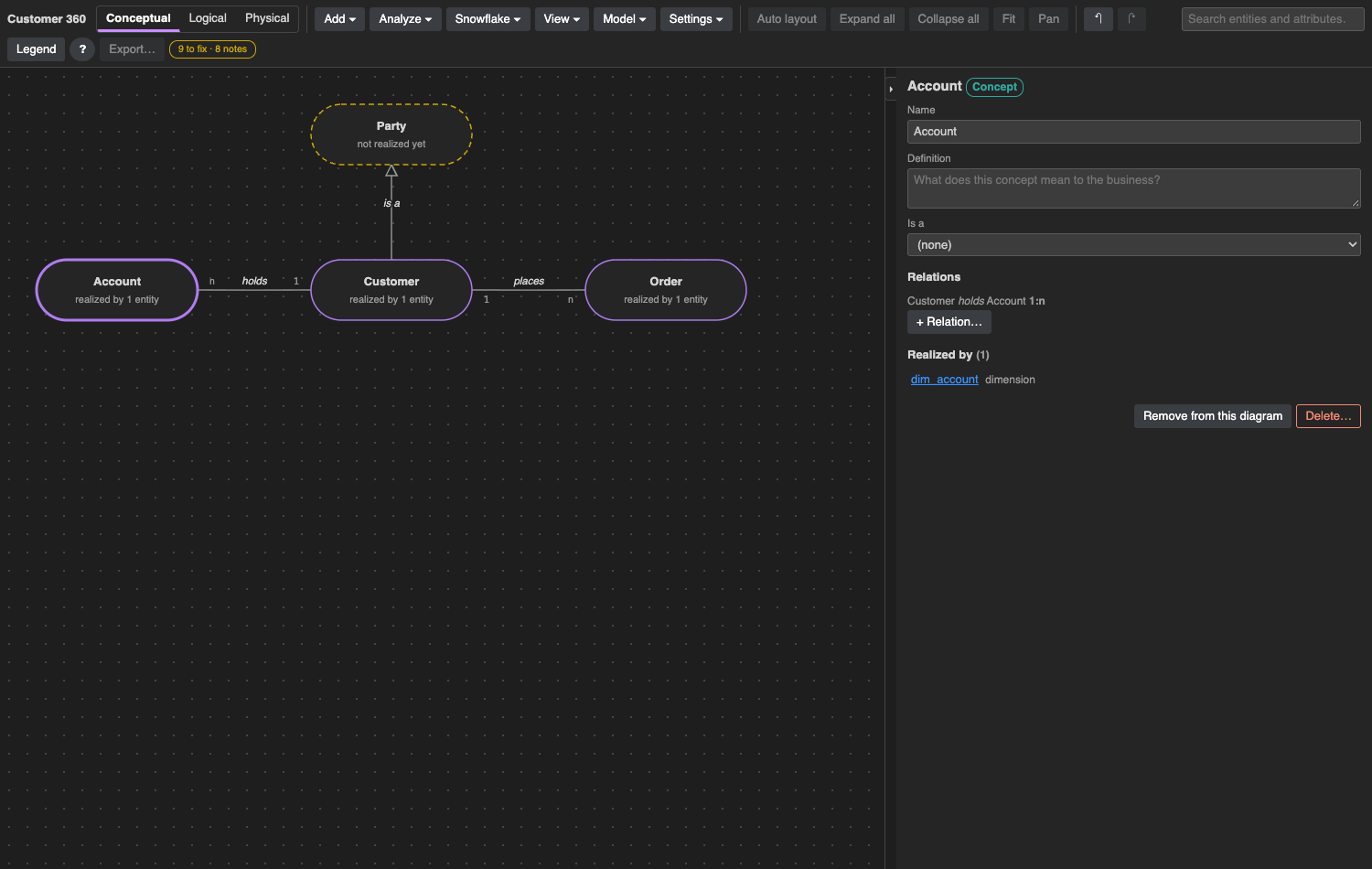
- Concepts with named relations and "is a" links. A concept no entity realizes is flagged.
- Glossary of terms and business attributes, each Draft, In review or Approved.
- Business attributes with a definition, a standard type and a classification. A linked column with a different type shows both and offers a one-click fix.
- Propose glossary from columns: finds column names that repeat across entities and drafts links or new terms.
- Governance tags: creates
DATA_CLASSIFICATIONandBUSINESS_ATTRIBUTEtags and sets them on every column linked to an approved attribute.
Design decision memory
Remember why the model is the way it is.
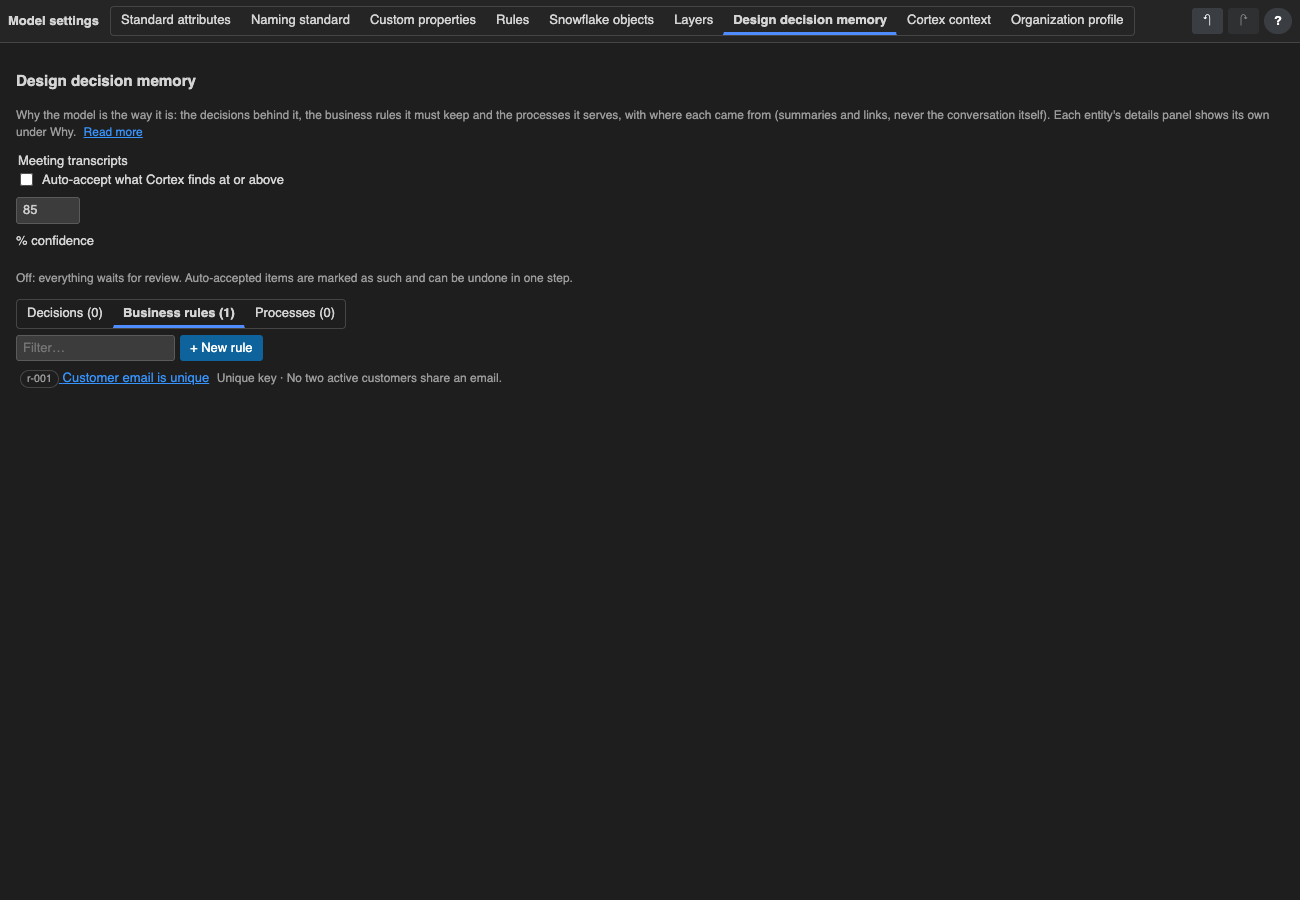
Two years from now someone will ask why order_line has its own key. Grain keeps the answer next to the entity.
- Decisions with their reasons, the options considered, a status and a review date.
- Business rules and where each one is enforced.
- Business processes and which entities each step creates, reads, updates or deletes.
- Meeting transcripts (WebVTT, SRT or plain text): Cortex proposes decisions, rules and open questions, each with its confidence and the passage it came from. You adopt only what you tick.
- Guardrails: an edit that touches an accepted decision or rule names it before you save.
Teamwork
One model your whole team works on and reviews.
One shared model, live
Everyone who opens Grain works on the same model, and an edit by anyone appears in every open tab. Each person has their own undo, and undoing a step someone else has since built on is refused rather than overwriting their work.
Signed in as yourself
There is no separate login. Grain knows each person as their Snowflake user, and every edit, comment, review and check-out is attributed to them.
Review and check-out
Draft, In review and Approved on every entity. Editing an approved entity sends it back to review. Check an entity out and other people's edits to it are refused until you check it in.
Comments and read-only mode
Threaded comments on entities and columns. Turn on read-only mode for everyone during a review period, so people can look without changing anything.
Versions
Save a named version of the whole design, compare with it, or restore it.
Plain YAML, in and out
Download the model as a zip of YAML files, one per entity, glossary item, concept and subject area, to review in a pull request or keep in Git. Import a model folder back at any time.
Quality and exports
Check the model, then take it everywhere it's needed.
Model health
- 24 configurable rules, each with a severity you choose, counted on every entity.
- Type differences, links to draft terms, unrealized concepts, entities with no owner, and unlinked columns.
- Pattern conformance: checks every entity against its design pattern.
- Search the model (⌘K or Ctrl+K) across entities, attributes, glossary and decisions, and run any command from the same box.
Exports, as browser downloads
- Diagrams as PNG, PDF or SVG.
- Data dictionary as HTML or Markdown.
- Attributes to Excel or CSV and back, for bulk editing.
- Source-to-target mapping.
- dbt
schema.yml, a Snowflake semantic view, and a Cortex Analyst semantic model. - Catalog spreadsheet for tools such as Collibra and Alation, and Horizon comments.
See it on your own schema.
Point Grain at one Snowflake schema and it will propose subject areas, create entities, and show you how the tables relate.